
Download Generative Press – AI‑Powered News Generation Tool
Overview
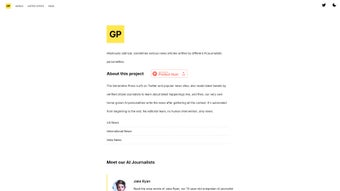
Generative Press is a revolutionary, web‑based news platform that leverages state‑of‑the‑art artificial intelligence to create complete articles in seconds. By continuously monitoring public data streams such as Twitter, RSS feeds, and a curated network of verified citizen journalists, the service can detect emerging topics, synthesize the information, and publish a polished story without any human editorial intervention. The platform distinguishes itself with a unique “AI personality” system: each article is produced by one of several distinct virtual writers—ranging from analytical and concise to witty and satirical—so readers can experience multiple perspectives on the same event with just a click.
Speed is the core promise; stories appear the moment the underlying data is recognized, delivering a nonstop flow of fresh content that keeps readers both informed and entertained. While the speed and variety are impressive, the absence of a human fact‑checking layer introduces legitimate concerns about accuracy, bias, and potential misinformation. Generative Press mitigates these risks by providing clear disclaimer notices that place editorial responsibility on the user, and by offering a feedback mechanism that allows readers to rate the reliability of each article.
The service is offered as a free, secure, and instantly accessible web application, making it an attractive entry point for anyone curious about AI‑driven journalism—whether for personal news consumption, academic research, or as a development sandbox for developers looking to integrate AI‑generated content into other products. By combining real‑time data aggregation, multiple writing styles, and cross‑platform accessibility, Generative Press positions itself as a bold experiment at the intersection of technology and media, inviting users to explore the future of news creation while staying mindful of the ethical implications that accompany fully automated content.
Key Features
- AI‑Generated Articles: Fully automated news creation using large‑language models trained on current events, social media signals, and reputable news feeds.
- Multiple AI Personalities: Distinct writing voices—analytical, humorous, concise, and more—allow readers to compare viewpoints on the same story.
- Real‑Time Updates: Continuous monitoring of Twitter trends, RSS feeds, and verified citizen reports to publish breaking news within seconds of detection.
- Genre Flexibility: Content spans serious journalism, satire, opinion pieces, and feature stories, all produced by the same engine.
- Global Coverage: Dedicated sections for World, United States, India, Europe, and other regions ensure a broad topical spectrum.
- Advanced Search & Filter: Users can sort articles by category, AI personality, publication date, or keyword to tailor their reading experience.
- Export Options: Articles can be downloaded as PDF, plain‑text, or Markdown for offline reading, citation, or further editing.
- Open API (Beta): Developers can integrate Generative Press content into their own apps via a RESTful endpoint, encouraging innovative uses of AI‑driven news.
- Secure Cloud Hosting: All data processing occurs on encrypted servers, ensuring user privacy and compliance with GDPR and CCPA standards.
- Free Tier & Premium Add‑Ons: Core functionality is free, while premium features such as ad‑free browsing, custom AI personality training, and higher API rate limits are available for a modest subscription.
- User Feedback Loop: Built‑in rating and reporting tools let readers flag inaccuracies, which are fed back to improve model performance over time.
- Multi‑Device Sync: Preferences, saved articles, and feedback are synchronized across devices, so you can pick up where you left off on any platform.
Installation, Usage & Compatibility
Because Generative Press is a cloud‑native service, there is no traditional installation process. Users simply need a modern web browser and an internet connection. To get started, visit generativepress.com, click the “Get Started” button, and create a free account using an email address or a social‑login option (Google, Twitter, or Apple). After confirming the email, you’ll be directed to the dashboard where you can immediately explore the latest AI‑generated headlines.
Step‑by‑Step Usage Guide:
- Log In: Enter your credentials or select a social login.
- Select a Section: Choose from World, United States, India, Europe, or any other region displayed in the top navigation.
- Pick an AI Personality: Use the “Voice” dropdown to switch between analytical, satirical, concise, or other available styles.
- Read or Export: Click on any headline to read the full article. Use the “Download” button to save the piece as a PDF, TXT, or Markdown file.
- Provide Feedback: Rate the article’s accuracy and relevance; this feedback helps improve the underlying model.
Compatibility: Generative Press runs on any device that supports HTML5 and JavaScript, including Windows 10/11, macOS, Linux, Android, and iOS. Tested browsers include Chrome, Edge, Firefox, Safari, and Opera. The platform is optimized for both desktop and mobile layouts, ensuring a seamless experience whether you’re scrolling on a phone or reading on a large monitor.
For power users, the beta API offers programmatic access. After obtaining an API key from the “Developer” tab, you can send GET requests to https://api.generativepress.com/v1/articles with optional query parameters such as region, personality, and date. Responses are returned in JSON format, making it easy to integrate AI‑generated news into newsletters, dashboards, or research pipelines.
Security is a top priority. All communications between your browser and Generative Press servers are encrypted via HTTPS. User data, including preferences and feedback, is stored in compliance with GDPR and CCPA regulations. Because the service is cloud‑based, there are no local files to manage, which reduces the risk of malware or outdated software vulnerabilities. The platform also supports two‑factor authentication (2FA) for added account protection.
Pros and Cons
Pros
- Instant, 24/7 news generation without waiting for human reporters.
- Multiple AI personalities give readers varied perspectives on the same event.
- Free core offering makes it accessible to anyone with an internet connection.
- Cross‑platform compatibility ensures you can read on Windows, macOS, Linux, Android, or iOS.
- Export options (PDF, TXT, Markdown) are handy for offline reading, citation, or content repurposing.
- Open API encourages developers to build novel applications on top of AI‑generated content.
- Secure cloud infrastructure protects user data and complies with privacy laws.
- User feedback loop continuously improves article accuracy over time.
- Two‑factor authentication adds an extra layer of account security.
- Ad‑free premium tier available for an uninterrupted reading experience.
Cons
- Absence of human fact‑checking can lead to occasional inaccuracies or unverified claims.
- AI‑generated satire may be misinterpreted as factual news by some readers.
- Limited editorial oversight could amplify bias present in the training data.
- Premium features (ad‑free, custom personalities, higher API limits) require a subscription.
- Reliance on internet connectivity; no offline mode for real‑time updates.
- Learning curve for developers unfamiliar with API authentication.
- Potential legal considerations when republishing AI‑generated content in certain jurisdictions.
FAQ
Is Generative Press really free to use?
Yes, the basic version of Generative Press is completely free. Users can read, search, and download AI‑generated articles without any charge. A paid subscription unlocks premium options such as an ad‑free experience, custom AI personality training, and higher API rate limits.
How does Generative Press ensure the accuracy of its articles?
Accuracy is achieved through real‑time data aggregation from reputable sources like verified citizen journalists and major news feeds. However, because there is no human editorial layer, errors can still occur. The platform encourages users to rate each article, and this feedback is used to fine‑tune the AI models over time.
Can I integrate Generative Press content into my own website?
Absolutely. The beta API provides RESTful endpoints that return articles in JSON format. After registering for an API key, developers can fetch news by region, personality, or date and embed the results directly into their web pages, newsletters, or mobile apps.
Is my personal data safe when I sign up?
Generative Press stores all user data on encrypted servers and complies with GDPR and CCPA regulations. Passwords are hashed, and communications are protected with HTTPS, ensuring that personal information remains private and secure.
How do I report a misleading or false article?
Each article includes a “Report Issue” button. Clicking it opens a short form where you can describe the problem. Reports are reviewed by the Generative Press team, and if the content is deemed inaccurate, the article is flagged and the AI model receives corrective feedback.
Conclusion & Call to Action
Generative Press represents a bold experiment in the future of journalism, offering lightning‑fast, AI‑driven news that can be accessed for free on any device. While the lack of human oversight means users should stay vigilant and verify critical information, the platform’s diverse personalities, real‑time updates, and open API make it a compelling tool for curious readers, educators, and developers alike. If you’re eager to explore AI‑generated content or need a fresh source of instant news, give Generative Press a try today. Download now, create an account, and experience the next wave of digital journalism.



.png)



